Basic Linux Shell Scripting for DevOps

DevOps Enginner
Explain Shell Scripting
Basically, it is used for automating tasks related to the software development cycle, deployment process and system administration. The various task involved in it like setting up environments, deploying applications, managing configrations etc.Shell scripts allow for the execution of a series of commands in a sequence, automating tasks that would otherwise need to be performed manually.
What is #!/bin/bash? can we write #!/bin/sh as well?
#!/bin/bash is called a shebang or hashbang. It's the notation at the beginning of a script that tells the system which interpreter to use to execute the script. In this case, #!/bin/bash indicates that the script should be executed using the Bash shell. Yes, you can also use #!/bin/sh to indicate the Bourne shell or a compatible shell. Bash is an extended version of the Bourne shell, so using #!/bin/sh typically invokes the default system shell.
Tasks
Write a Shell Script which prints I will complete #90DaysOofDevOps challenge
#!bin/bash
echo "I will complete #90DaysOofDevOps challenge"
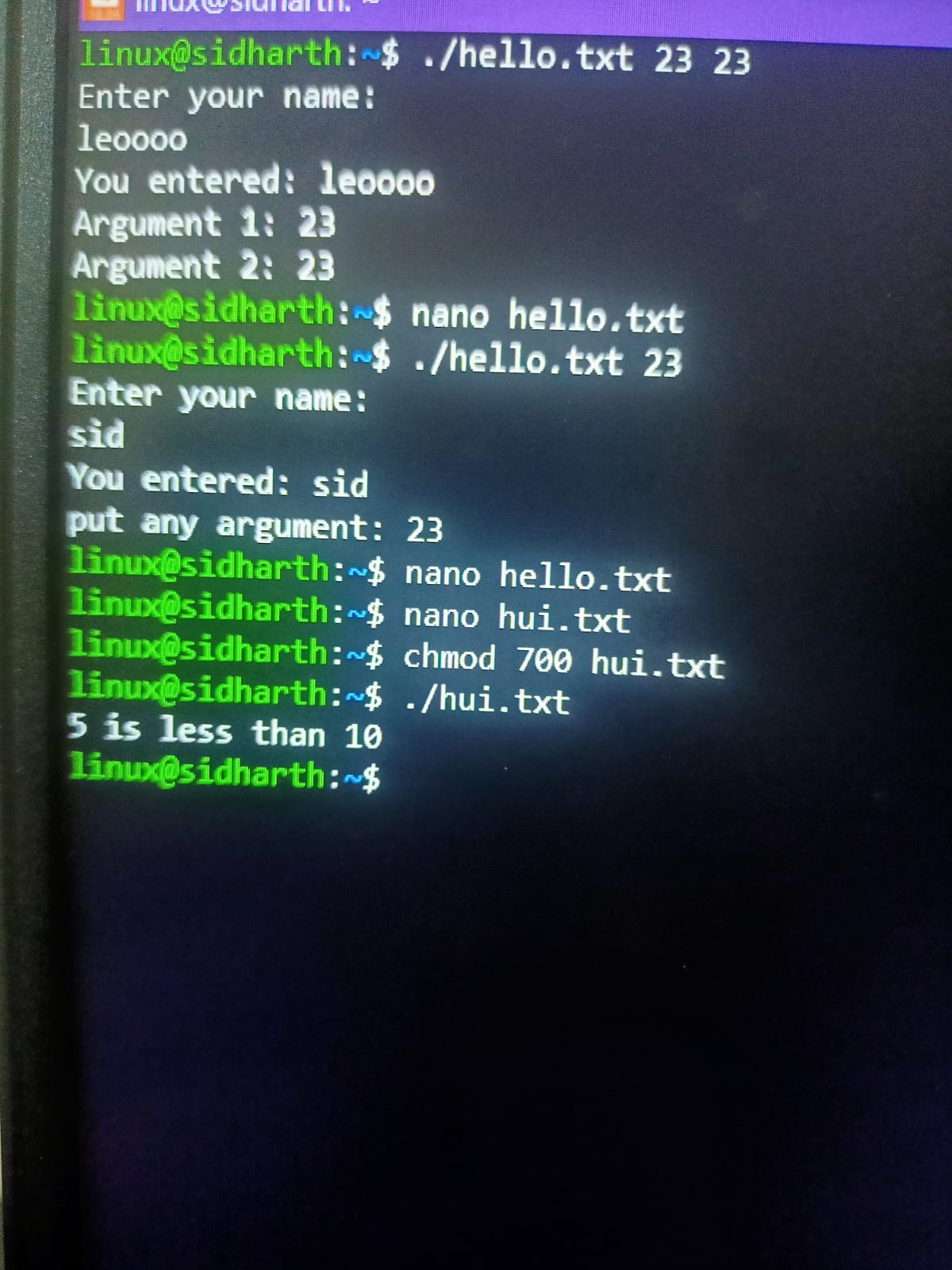
Write a Shell Script to take user input, input from arguments, and print the variables
#!/bin/bash

echo "Enter your name: "
read username
echo "You entered: $username"
echo "put any argument: $1"
Write an Example of If else in Shell Scripting by comparing 2 numbers
#!/bin/bash

n1=5
n2=10

if [ $n1 -eq $n2 ];
then
echo "Numbers are equal"
elif [ $n1 -lt $n2 ];
then
echo "$n1 is less than $n2"
else
    echo "$n1 is greater than $n2"
fi
Conclusion
Day 4 all tasks have been done.
Git link of task:- https://github.com/sidharthhhh/90DaysOfDevOpss/tree/master/2023/day04


